AIssistLab
Skill Workshop RAG
Claude-first local workbench for building, validating, indexing, chatting with, and exporting Claude Code skills.
V1 is intentionally local-first. It is designed for a developer running a private Claude skills workspace on their own machine, with deterministic readiness checks and sanitized diagnostics before anything is shared.
What It Does
- Manage Claude Code skill Markdown files from a configured local workspace.
- Build a local TF-IDF RAG index over skills and ask grounded questions in Chat.
- Use localhost-guarded Anthropic API mode by default, or optional localhost-only Claude Code CLI mode.
- Discover local Claude CLI/profile state without exposing account identifiers.
- Diagnose setup readiness through Settings, Setup Doctor, First Run Checklist, V1 Release Readiness, and Manual QA Evidence.
- Validate skill quality, import skill bundles safely, and export sanitized diagnostics.
- Keep device-local operations behind localhost guards.
Product Shape
flowchart LR
  Settings["Settings<br/>paths, provider, profiles"] --> Doctor["Setup Doctor<br/>deterministic checks"]
  Settings --> Index["RAG Index<br/>ready, stale, failed"]
  Skills["Skills<br/>create, import, validate"] --> Index
  Index --> Chat["RAG Chat<br/>answers + citations"]
  Doctor --> Readiness["V1 Release Readiness"]
  Chat --> Export["Export<br/>skills + diagnostics"]
  Skills --> Export
Status
V1 is feature-complete for the Claude-focused local release path:
- Settings and runtime provider switching are implemented.
- Persistent index metadata and stale-state reporting are implemented.
- Skill lifecycle, templates, import preview, quality checks, delete/restore, and guided builder are implemented.
- Chat readiness, retry, citations, and streamed error handling are implemented.
- Claude Project inventory and sanitized diagnostics export are implemented.
- Release verification scripts, the manual external QA checklist, and Settings Manual QA Evidence tracking are documented.
Out of scope for V1:
- Hosted multi-user SaaS deployment.
- Provider-agnostic runtime registry.
- Automatic account login, automatic Claude generation on page load, or broad device scans.
- Installing or modifying Claude Code commands, hooks, agents, MCP servers, plugins, or user-level Claude configuration.
See V1 release notes and V2 roadmap for the boundary between current release and future provider-agnostic work.
Quick Start
npm install
npm run dev
Open http://localhost:3000.
The dev and build scripts run Next.js with webpack because the app keeps a small server-side webpack external config for local RAG dependencies. Turbopack is not the verified V1 path.
Copy .env.example to .env.local and configure:
WORKSPACE_ROOT=examples/demo-workspace
SKILLS_DIR=.claude/skills
NEXT_PUBLIC_APP_TITLE=Skill Workshop RAG
LLM_PROVIDER=anthropic_api
ENABLE_LOCAL_CLAUDE_CLI=false
CLAUDE_CLI_PATH=auto
CLAUDE_LOGIN_COMMAND=auto
CLAUDE_CONFIG_DIR=
ANTHROPIC_API_KEY=
For your real workspace, set:
WORKSPACE_ROOT=C:/path/to/workspace
SKILLS_DIR=.claude/skills
Then use Settings:
- Validate
WORKSPACE_ROOTandSKILLS_DIR. - Rebuild the RAG index.
- Select Anthropic API or Claude CLI provider mode.
- Test API or CLI auth.
- Open Chat when readiness says the app can send.
- Export diagnostics when you need a sanitized evidence bundle.
Provider Modes
Anthropic API
API mode is the default local provider because it is predictable for desktop use:
LLM_PROVIDER=anthropic_api
ANTHROPIC_API_KEY=<your key>
The app never prints API keys in status, readiness, diagnostics, settings API responses, or UI output.
POST /api/chat remains a device-local API in API mode: hosted, production, and non-local requests are rejected before request-body processing.
Claude Code CLI
CLI mode is optional and only works for local desktop use:
LLM_PROVIDER=claude_code_cli
ENABLE_LOCAL_CLAUDE_CLI=true
CLAUDE_CLI_PATH=auto
CLAUDE_LOGIN_COMMAND=auto
CLAUDE_CONFIG_DIR=
CLAUDE_CLI_PATH=auto resolves Claude Code from the official native install location first, then PATH:
- Windows:
%USERPROFILE%\.local\bin\claude.exe, thenclaude.exe - macOS/Linux:
~/.local/bin/claude, thenclaude
CLAUDE_LOGIN_COMMAND=auto opens Claude Code’s built-in visible auth flow, claude auth login, using the resolved Claude executable. Set CLAUDE_LOGIN_COMMAND=claude-login or an explicit helper path only if you intentionally use a custom login helper.
CLAUDE_CLI_PATH may be auto, a full executable path, or the install folder that contains the Claude executable, such as %USERPROFILE%\.local\bin.
CLI generation uses claude -p in a non-interactive child process with safe flags. The spawned process removes ANTHROPIC_API_KEY so API-key auth does not accidentally override local Claude subscription auth.
Claude profile discovery is privacy-preserving:
- Default profile:
~/.claude - Direct children under
~/.claude-profiles - Manual
CLAUDE_CONFIG_DIR
Public UI labels stay generic, such as Default profile, Profile 1, and Manual profile. The app does not serialize account emails, organization names, raw OAuth paths, tokens, or hidden profile folder names.
Main Screens
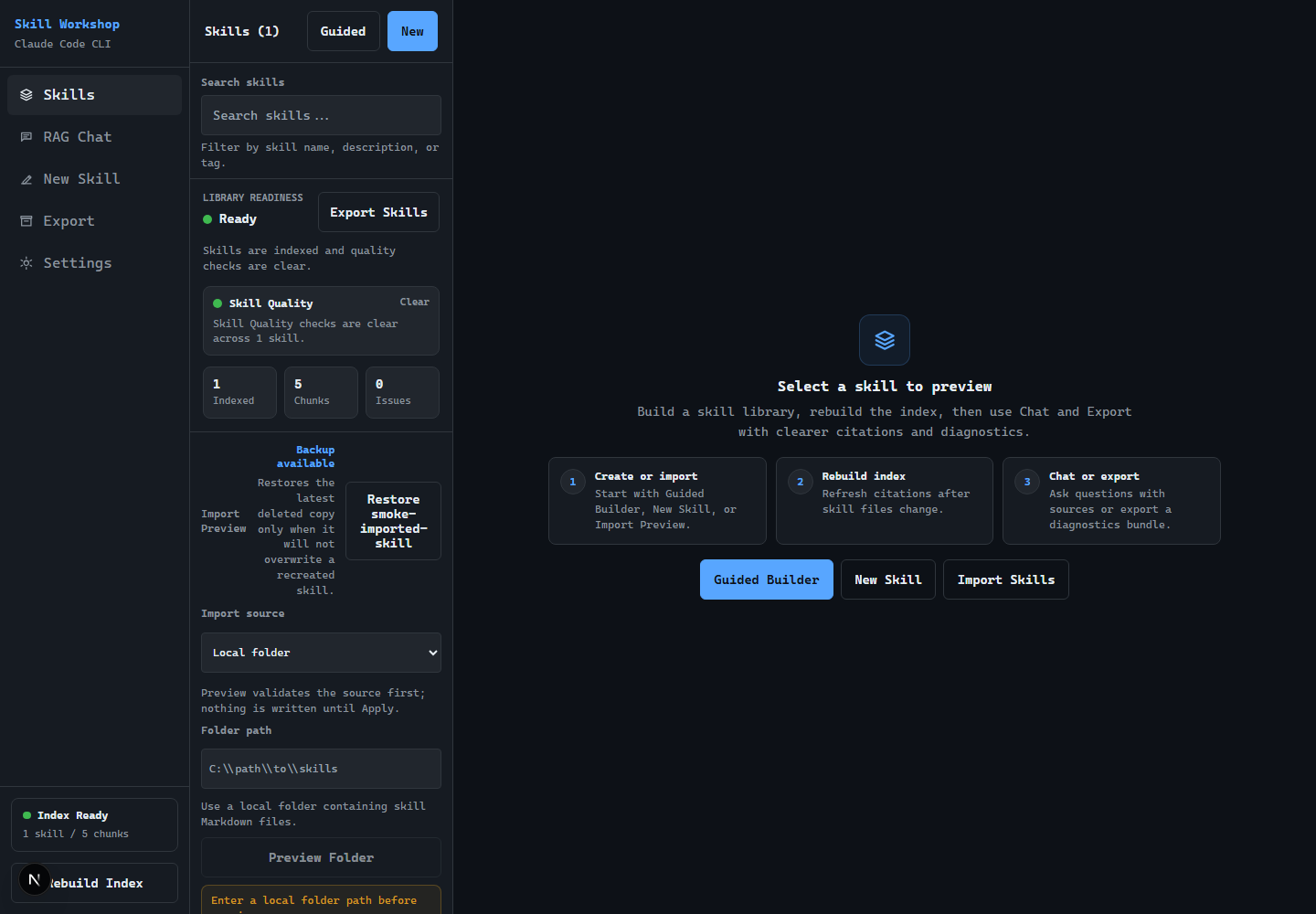
Skills: browse, search, preview, import, delete, restore, and inspect library readiness.New Skill: create from templates or open the guided skill builder.RAG Chat: ask questions against indexed skills with citation links back to editor pages.Export: download selected skills or a zip bundle with sanitized diagnostics.Settings: configure paths/provider, review the Data Boundary summary, run Setup Doctor, view First Run Checklist, inspect Claude Project inventory, check V1 Release Readiness, and track local-only Manual QA Evidence.
Local APIs
The maintained local API route sources are src/lib/routes/api-routes.ts for client-side route constants and src/app/api/**/route.ts for handlers. Route tests assert that static API constants stay aligned with the handler tree.
The local APIs cover index rebuild/status, chat/status, release readiness, settings/runtime/doctor/path browsing, Claude CLI profile/test/project checks, skill lifecycle/import/guided-builder flows, validation, export, and diagnostics ZIP generation. Endpoints that expose local readiness, filesystem, env, provider state, index content, or generated chat context are guarded for localhost usage.
Diagnostics Export
Diagnostics are only generated through the intentional export flow:
/api/export/zip?diagnostics=true
/api/export/zip?skill=skill-a&skill=skill-b&diagnostics=true
Diagnostics include:
diagnostics/manifest.jsondiagnostics/readiness.jsondiagnostics/index.jsondiagnostics/skill-quality.jsondiagnostics/claude-project.jsondiagnostics/settings-summary.json
They intentionally exclude API keys, account identifiers, OAuth paths, raw Claude config contents, full home paths, MCP command args, hook commands, and raw provider output.
Verification
Use the release-candidate runbook as the maintained source of truth for command coverage and manual QA details:
Pull-request CI is intentionally secretless and read-only. Repository owners, collaborators, Dependabot, and Imgbot can be readied and queued for squash auto-merge only after the required release check succeeds; every other fork stays manual. Action dependencies are full-SHA pinned and maintained through grouped weekly Dependabot updates. See the CI security policy.
Full release gate:
npm run verify:release
This runs tests, lint, build, smokes, audits, cleanup dry-runs, and privacy checks. See the runbook command gates for the current exact sequence and focused debugging commands.
Release package evidence:
npm run release:evidence -- --gate-result passed
npm run release:prepare
release:evidence prints a sanitized summary of the current checkout, release-gate status, test count, coverage, privacy-scan status, and manual gates still pending. release:prepare is finite: it runs cleanup dry-runs, runs npm run verify:release once, then prints the sanitized evidence summary.
Manual QA remains device/account-owned: native folder picker visibility, Claude Open Login, and real account-backed chat must be confirmed by the local user after the automated gate passes.
Documentation
- Docs index
- Architecture map
- V1 release notes
- V1 release-candidate runbook
- Latest local QA evidence
- V1 ship checklist
- V1 roadmap
- V1 specs
- V2 provider-agnostic roadmap
Security And Privacy Model
- No broad filesystem scans.
- No automatic login.
- No automatic generation on Settings page load.
- No account/profile identifiers in public API output.
- No raw
.env.localsecret values in diagnostics or Settings API responses; redacted placeholders preserve existing secrets on save. - Claude Project inventory is read-only and reports counts/checks only.
- Workspace writes are path-safe and limited to configured skill files.
- Local device checks use sanitized messages and localhost guards.
- Settings includes a Data Boundary panel that summarizes local reads, explicit chat sends, scrubbed diagnostics, and manual account/device checks before the user changes provider or path settings.
Tech Stack
- Next.js 16 with React 18
- TypeScript
- Tailwind CSS
- Anthropic SDK
- Natural TF-IDF
- Playwright local smoke checks
- Node-based assertion tests with
tsx